

In audio production, controlling volume levels is one of the most important tasks. Whether you are working on music, podcasts, voiceovers, or videos, balanced sound makes a big difference. If some parts are too loud and others are too quiet, the listener may feel uncomfortable. This is where dynamic gain control tools become very useful.
Volume Rider is a plugin designed to manage audio levels automatically. Instead of manually adjusting volume faders throughout a project, this tool helps maintain consistent levels in real time. In this detailed review, we will explain what Volume Rider is, how dynamic gain control works, and what benefits it offers. Everything is written in simple, clear English so that both beginners and experienced producers can understand it easily.
What Is Volume Rider
Volume Rider is an audio plugin used in digital audio workstations. It automatically adjusts the volume of an audio track based on settings chosen by the user. Instead of compressing the sound like a traditional compressor, it rides the volume fader smoothly.
The main goal of Volume Rider is to maintain consistent loudness without changing the natural tone of the audio. It increases quiet sections and reduces loud peaks in a gentle way.
This makes it especially useful for vocals, dialogue, podcasts, and live recordings where volume changes frequently.
Understanding Dynamic Gain Control
Dynamic gain control refers to automatically adjusting the gain or volume of audio signals depending on their level.
In simple words, when the sound becomes too quiet, the system raises the volume. When the sound becomes too loud, it lowers the volume. This process keeps the audio balanced.
Unlike heavy compression, dynamic gain control focuses on smooth adjustments. It does not strongly change the character of the sound. Instead, it works like a human hand moving the volume fader up and down.
Volume Rider is designed specifically for this purpose.
How Volume Rider Works
Volume Rider monitors the input signal in real time. It analyzes the audio and compares it to a target level set by the user.
If the signal drops below the target, the plugin increases the gain gradually. If the signal goes above the target, it reduces the gain.
The adjustments are smooth and natural. The plugin does not create sudden jumps in volume. This helps maintain a clean and professional sound.
It also allows users to write automation directly to the track, which can then be edited manually if needed.
Key Features of Volume Rider
Volume Rider includes several useful features that make it powerful and flexible.
Target Level Control
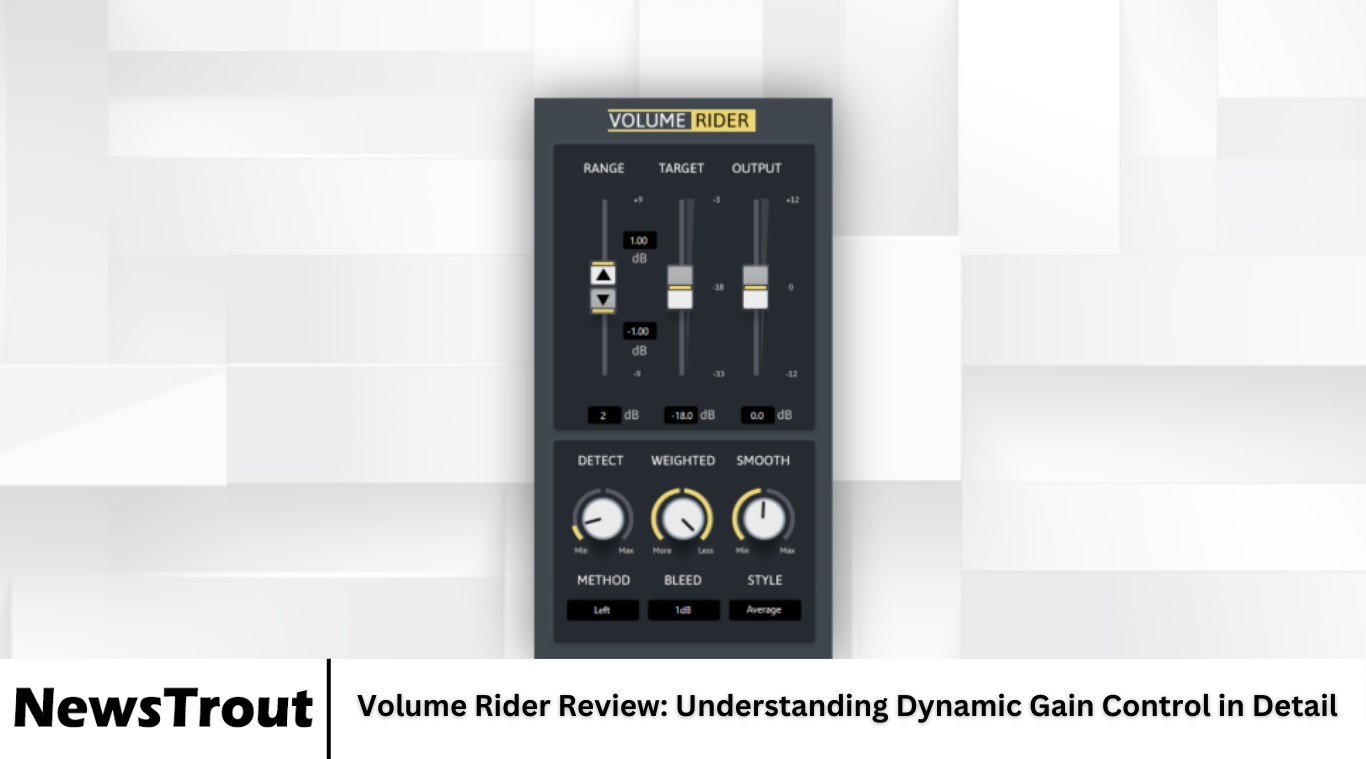
Users can set a desired target level. The plugin will try to keep the audio close to this level throughout the track.
Range Adjustment
The range control limits how much the volume can increase or decrease. This prevents extreme changes and keeps adjustments controlled.
Fast and Slow Modes
Different response speeds allow users to choose how quickly the plugin reacts to volume changes. Faster settings are good for quick peaks. Slower settings work well for smooth transitions.
Automation Writing
Volume Rider can write automation data to the track in many digital audio workstations. This gives users more control and editing options later.
Sidechain Support
The plugin can respond to an external signal using sidechain input. This is helpful in broadcast and dialogue situations.
Difference Between Volume Rider and a Compressor
Many people wonder how Volume Rider differs from a compressor. Both tools manage dynamic range, but they work in different ways.
A compressor reduces the dynamic range by turning down loud sounds once they cross a threshold. It often changes the tone or character of the sound, especially with strong settings.
Volume Rider adjusts the track volume directly, like moving a fader. It does not reshape the waveform in the same way as compression. Because of this, the sound often feels more natural.
Some producers even use Volume Rider before a compressor. This combination creates a smoother and more controlled mix.
Benefits of Using Volume Rider
Using Volume Rider provides several important benefits in audio production.
Consistent Audio Levels
The plugin keeps vocals and dialogue at steady levels. This makes listening more comfortable.
Time Saving
Instead of drawing manual automation for every volume change, the plugin handles much of the work automatically. This speeds up the mixing process.
Natural Sound
Because it adjusts gain rather than compressing heavily, the sound remains clean and natural.
Better Vocal Presence
Vocals stay clear and balanced in the mix. Quiet words become more audible without sounding forced.
Improved Workflow
The automation writing feature allows for easy fine-tuning after automatic adjustments.
Best Situations to Use Volume Rider
Volume Rider is especially useful in certain situations.
Podcast Production
Speakers may change distance from the microphone. Volume Rider keeps levels consistent without over-compression.
Music Vocals
Singers naturally move between soft and loud sections. The plugin smooths these changes while keeping emotion intact.
Film and Video Dialogue
Dialogue recordings often have level differences. Automatic gain riding helps maintain clarity.
Live Recordings
Live performances can have unpredictable volume changes. Volume Rider helps manage these variations.
User Interface and Ease of Use
The interface of Volume Rider is designed to be simple and clear. Controls are easy to understand even for beginners.
Most users can set a target level, adjust range, and choose response speed within minutes. The visual feedback helps show how much gain adjustment is happening.
Because the controls are not overly complex, the plugin is accessible while still being powerful.
Integration with Digital Audio Workstations
Volume Rider works inside popular digital audio workstations. It integrates as a plugin on individual tracks.
It supports automation writing in many systems, which allows direct control over fader movement.
This compatibility makes it flexible for different production environments.
Limitations of Volume Rider
While Volume Rider is powerful, it does have limitations.
It is not a replacement for compression in every case. Some sounds still need compression for tone shaping.
Extreme dynamic changes may require additional tools alongside it.
Also, beginners may need some practice to understand how to set target levels correctly.
However, these limitations are small compared to its benefits.
Combining Volume Rider with Other Tools
Many professionals combine Volume Rider with other processing tools.
For example, they may use Volume Rider first to smooth out major level changes. Then they apply gentle compression to control peaks.
Equalization can also be added afterward to shape tone.
This layered approach results in balanced and professional audio mixes.
Why Dynamic Gain Control Matters
Balanced audio improves listener comfort. Sudden loud sounds can be disturbing, and very quiet parts may be hard to hear.
Dynamic gain control ensures smooth listening experiences. In professional audio work, consistency is very important.
Volume Rider supports this goal by automating one of the most repetitive tasks in mixing.
As content creation grows, tools that save time and maintain quality become even more important.
Frequently Asked Questions
What does Volume Rider do?
Volume Rider automatically adjusts the volume of an audio track to keep levels consistent without heavy compression.
Is Volume Rider better than a compressor?
It is not necessarily better, but it works differently. Volume Rider adjusts gain smoothly, while a compressor reduces dynamic range by controlling peaks. Many producers use both together.
Can beginners use Volume Rider easily?
Yes, the interface is simple and clear. Beginners can quickly learn how to set target levels and adjust range settings.
Does Volume Rider change the sound tone?
It mainly adjusts volume rather than reshaping the sound. Because of this, it usually keeps the tone natural.
Is Volume Rider good for podcasts?
Yes, it is very useful for podcasts because it keeps speech levels steady and easy to hear.
Conclusion
Volume Rider is a powerful tool designed to simplify dynamic gain control in audio production. By automatically adjusting track volume in real time, it helps maintain consistent levels without damaging the natural character of the sound.
Its features such as target level control, range adjustment, automation writing, and flexible response settings make it suitable for music, podcasts, dialogue, and live recordings. While it does not completely replace compression, it works extremely well alongside other tools.
For producers who want smoother vocals, faster workflow, and more balanced mixes, Volume Rider provides a practical and efficient solution. In modern audio production, where clarity and consistency are essential, dynamic gain control tools like Volume Rider play an important role in delivering professional results.