

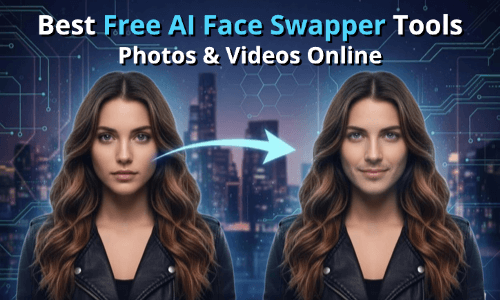
The short answer: Magic Hour is the best all-in-one AI face swap platform in 2026 — combining video, photo, and audio tools with frontier models, a generous free tier, and credits that never expire. But the right tool depends on your workflow. Here’s everything you need to know.
Face swapping used to be a niche skill requiring serious technical know-how. In 2026, it’s a mainstream content creation technique used by marketers, filmmakers, educators, and social creators daily. The technology has matured fast — and so has the market. There are now dozens of platforms claiming to do it best.
I spent two weeks testing the top contenders across real-world use cases: short-form social content, branded marketing videos, photo edits, live streaming, and enterprise campaigns. What I found is that the gap between the best and the rest is significant — in output quality, pricing fairness, workflow flexibility, and ethical defaults.
I guarantee at least one of these tools will meet your needs. Let’s break them down.
Best AI Face Swap Tools at a Glance
| Tool | Best For | Modalities | Free Plan | Starting Price |
| Magic Hour | All-in-one creators & teams | Video, Photo, Audio | ✅ Generous | Free / $15/mo |
| DeepSwap | Video-first power users | Video, Photo, GIF | ✅ Limited | ~$19/mo |
| Reface | Casual social content | Video (templates), Photo | ✅ Watermarked | ~$12.99/mo |
| Akool | Enterprise marketing teams | Video, Photo | ✅ Restricted | Custom |
| HeyGen | AI avatars & B2B video | Video | ✅ Limited | $29/mo |
| Vidnoz | Free users & beginners | Video, Photo | ✅ Solid | Free / Paid |
| Swapface | Live streaming & real-time | Video (webcam) | ✅ Basic | ~$9.99/mo |
| FaceMagic | Mobile-first creators | Video, Photo | ✅ Limited | ~$9.99/mo |
| Pica AI | Creative experimentation | Photo, Video | ✅ Limited | Freemium |
| Vidwud | Quick, no-signup swaps | Video, Photo | ✅ Basic | Free / Paid |
The 10 Best AI Face Swap Tools of 2026
1. Magic Hour — Best Overall AI Face Swap Platform
Magic Hour is the tool I kept coming back to throughout testing. It’s not just a best AI face swap tool — it’s a full creative suite that happens to have one of the best face swap engines available in 2026. Whether you’re dropping a face into a photo, producing a lip-synced marketing video, or building an automated content pipeline via API, Magic Hour handles it cleanly and quickly.
What separates Magic Hour from the crowded field is the integration depth. Face swap, lip sync, talking photos, image-to-video, upscaling, and animation all live under one roof — and they’re connected. You can chain a face swap directly into an upscale into a video in a single workflow, without exporting and re-importing between tools.
After two weeks of testing, it had the best facial mapping, the most natural motion preservation in dynamic scenes, and the most reliable results across varied source material — different lighting conditions, angles, and skin tones.
What also stands out: no signup is required to try it. Credits never expire. The free tier is unusually generous — 400 credits to start, plus 100 free daily credits just for visiting the Create page. And the platform is optimized for both desktop and mobile.
Pros:
- Best-in-class face swap quality for both photos and video
- Full creative suite: lip sync, talking photos, image-to-video, animation, audio tools, upscaling — all in one place
- No signup required to try; credits never expire
- Access to frontier AI models with weekly feature releases
- Click-to-create templates and one-click multi-step workflows
- Parallel generations with no concurrency cap — no waiting in queues
- Full API parity across all tools; developers can automate any workflow
- Unusually generous free tier; strong value at $10–15/month
- Optimized for desktop and mobile
- Trusted by teams at Meta, NBA, L’Oréal, Shopify, Dyson, and more
- Founder-level support responses; proven reliability at live events and traffic spikes
Cons:
- Free tier capped at 576px resolution; watermark-free exports require a paid plan
- Business-scale users may need the $99/month plan for 4K output and 10GB uploads
Verdict: If you’re looking for a platform that delivers professional results across every stage of AI video and photo creation, this is hard to beat. The credits-never-expire policy alone makes Magic Hour worth trying before anything else.
Pricing:
- Free: 400 credits, 576px, watermarked
- Creator: $15/month (or $10/month billed annually) — 1024px, watermark-free, commercial use
- Pro: $39/month (or $25/month billed annually) — 1472px, 5GB uploads, priority queue
- Business: $99/month (or $66/month billed annually) — 4K, 10GB uploads, full API access
2. DeepSwap — Best for Video-Heavy Workflows
DeepSwap is one of the most capable video-focused face swap platforms available. It supports up to six faces in a single video swap, handles photos, GIFs, and video in the cloud, and delivers results without watermarks — all without needing a powerful local machine.
The platform uses proprietary deep learning models rather than open-source alternatives, which gives it an edge when handling lighting shifts, occlusion, and expression changes in complex scenes. Files are automatically deleted after 24 hours, which is a reasonable privacy default.
Pros:
- Strong multi-face support (up to 6 faces in video)
- No powerful hardware required — fully cloud-based
- Supports photos, videos, and GIFs
- No account required to preview results before committing
Cons:
- No broader creative suite beyond face swapping
- Processing times can be slow on longer clips
- Limited tool ecosystem compared to all-in-one platforms
Verdict: DeepSwap is the right choice if your primary need is video face swapping and you don’t want the overhead of a larger platform. For isolated face replacement without needing broad AI editing capabilities, it does the job well.
Pricing: Starts around $19/month for paid plans; free tier with daily limits.
3. Reface — Best for Casual Social Content
Reface built its brand around viral face swap memes and pop culture moments. The app is mobile-first, has a massive library of templates tied to trending content, and processes most swaps in 30 to 60 seconds. It’s fun, fast, and easy for anyone to pick up.
The problem is that the output quality plateaus quickly. For casual TikTok experiments, Reface works fine. For branded content, marketing campaigns, or anything requiring consistent realism, the seams start to show.
Pros:
- Massive template library tied to viral content
- Fast processing — photos in 3–5 seconds, videos in under a minute
- Smooth, beginner-friendly mobile experience
- Over 100 million downloads across 90+ countries
Cons:
- Free tier includes watermarks and heavy ads
- Output quality falls short for professional or branded use
- No API, no workflow automation, no creative suite
- Commercial use requires a paid subscription
Verdict: Reface is ideal for social experimenters and casual users. It’s not suited for marketing teams, startups building content pipelines, or anyone prioritizing output quality.
Pricing: Around $12.99/month on mobile subscription.
4. Akool — Best for Enterprise Marketing Teams
Akool is built with professional and commercial use squarely in mind. The platform specializes in studio-quality face swaps for marketing campaigns, supports animated and group face swaps with automatic face detection, and handles edge cases — glasses, facial hair, side profiles — better than most tools I tested.
The dashboard feels like a proper SaaS product, and batch processing on higher tiers is a genuine time-saver for teams producing content at scale. Multi-language video support (for localization use cases) is a differentiator in the enterprise space.
Pros:
- High realism with natural skin texture even in complex scenarios
- Strong batch processing for high-volume content teams
- Supports multi-language content localization
- Professional SaaS-style interface and team features
Cons:
- Pricing is among the highest in the category
- Free tier is quite restrictive — limited for meaningful evaluation
- Overkill for solo creators or small teams
- Complex setup compared to consumer-facing tools
Verdict: If your team produces commercial content where visual quality directly impacts revenue and you need enterprise infrastructure, Akool delivers serious value. For individuals or small studios, the cost-to-output ratio is harder to justify.
Pricing: Custom enterprise pricing; free tier available with significant restrictions.
5. HeyGen — Best for AI Avatars and B2B Video
HeyGen is primarily known for AI avatar generation and video dubbing — its face swap capabilities are part of a larger product story. It’s particularly effective for training videos, onboarding content, and B2B explainers where you want to clone your own likeness or localize content across languages.
Where HeyGen falls short is in swapping faces in pre-existing footage that isn’t your own. The tool is optimized for avatar-based workflows, not traditional face replacement.
Pros:
- Excellent for avatar creation and video dubbing/localization
- Clean interface; strong for B2B and enterprise use cases
- Good for creators who want a consistent AI “presenter” persona
- Reliable output for structured, scripted content
Cons:
- Not ideal for traditional face swap use cases (non-avatar footage)
- Pricing is higher than most consumer tools
- Free tier is limited and watermarked
Verdict: HeyGen is a strong fit for training videos and B2B explainers. For face swaps in third-party footage, other tools on this list serve you better.
Pricing: Starts at $29/month; free tier with limited credits.
6. Vidnoz — Best Free Option for Beginners
Vidnoz offers free online face swapping for photos and videos with a solid feature set. It supports single, multiple, and batch face swaps, creative variations like anime character swaps and gender swaps, and delivers hyper-realistic results with precise lip-sync movements in HD.
What I appreciated is how much you can do without spending anything. The interface is clean and accessible — it won’t intimidate someone who has never done a face swap before.
Pros:
- Generous free tier with no account required for basic use
- Supports single, multi-face, and batch swaps
- Creative options: anime, gender swap, meme face swap
- Part of a broader Vidnoz AI video platform
Cons:
- Free tier capped at 720p; 3 minutes of processing per day
- Less polished than premium tools for complex footage
- Limited workflow automation or API access
Verdict: Vidnoz is the best starting point if you want to explore face swapping without a budget. Once you outgrow the free limits, the paid plans offer reasonable value.
Pricing: Free with daily limits; paid plans available.
7. Swapface — Best for Live Streaming
Swapface is a desktop application that does one thing differently from every other tool on this list: real-time face swapping via webcam. If you stream on Twitch or YouTube and want to transform your face live, Swapface is the category leader.
Because processing happens locally on your GPU, there’s no cloud latency — the swap is instantaneous. The privacy benefit is real too: nothing is uploaded to a server.
Pros:
- Real-time face swap via webcam — zero latency
- No cloud dependency; processes locally
- Strong privacy — nothing leaves your machine
- Free tier available for basic streaming use
Cons:
- Requires a mid-range GPU (NVIDIA GTX 1060 or equivalent)
- Only useful for live video — no photo or clip editing
- Not a fit for content creators working on pre-recorded footage
- Limited creative versatility outside of live streaming
Verdict: If you stream live content and want to change your appearance in real-time, Swapface is unbeatable. For everything else, look elsewhere.
Pricing: Free basic plan; paid plans start around $9.99/month.
8. FaceMagic — Best Mobile App for Short-Form Video
FaceMagic is a mobile-first face swap tool optimized for short-form content. It handles photos and short video clips quickly, which makes it popular for TikTok and Instagram Reels workflows. The UI is simple enough for casual creators who don’t want to learn complex software.
Pros:
- Fast and accessible on iOS and Android
- Clean UI for short video and photo swaps
- No technical knowledge required
Cons:
- Output quality isn’t competitive with web-based or desktop tools
- Free tier is limited; commercial rights require a paid plan
- No API, no batch processing, no creative ecosystem
- Best suited for throwaway edits, not professional deliverables
Verdict: FaceMagic works for quick TikTok edits when you’re on the go. It’s not built for in-depth creative work or commercial production.
Pricing: Around $9.99/month for the paid plan.
9. Pica AI — Best for Creative Experimentation
Pica AI leans into creative and experimental face swapping — think stylized results, artistic transformations, and playing with identity in imaginative ways. It’s less focused on photorealistic swaps and more on creative expression.
Pros:
- Interesting creative tools beyond standard face replacement
- Accessible freemium model
- Good for inspiration and artistic exploration
Cons:
- Photorealism isn’t its strength
- Limited for professional or commercial use cases
- Narrower feature set compared to all-in-one platforms
Verdict: Pica AI is worth exploring if you want to push creative boundaries with face-based editing. Don’t reach for it when you need production-grade output.
Pricing: Freemium; paid plans available.
10. Vidwud — Best for Quick, No-Signup Swaps
Vidwud is a browser-based tool that lets you swap faces in photos and short videos without creating an account. It’s fast, functional, and free to try. The results are decent for casual use, and the low barrier to entry makes it appealing for one-off projects.
Pros:
- No account or signup required
- Fast processing for basic swaps
- Handles both photos and video
- Free to start
Cons:
- Output quality isn’t competitive with paid tools
- No advanced features, templates, or workflow tools
- Less reliable on complex footage
Verdict: Vidwud is the right choice for a quick, commitment-free face swap test. For anything recurring or professional, step up to a more capable platform.
Pricing: Free with basic limits; paid plans available for extended use.
How We Chose These Tools
I evaluated each platform across a consistent set of criteria over two weeks of active testing.
Output quality was the primary filter — specifically how well each tool preserved facial geometry, matched lighting, retained motion naturalness in video, and handled edge cases like glasses, facial hair, and non-frontal angles.
Workflow integration mattered a lot. A face swap tool that forces you to export, re-encode, and re-import between steps wastes time and degrades quality. Tools with native chaining (like Magic Hour’s generate → upscale → video pipeline) scored significantly higher.
Pricing fairness was evaluated not just on monthly cost, but on credit structures, what’s included at each tier, and whether free plans offered enough to genuinely evaluate the tool. Platforms that gated basic evaluation behind paywalls or watermarked everything heavily scored lower.
API and automation support mattered for developers and teams. Tools with full API parity — where everything available in the UI is also accessible programmatically — scored higher than those with limited or broken API implementations.
Ethical defaults were also considered. Tools with clear consent requirements, transparent data deletion policies, and content moderation for non-consensual use were weighted positively.
The Market Landscape in 2026
As of early 2026, the AI face swap market has matured past its “party trick” phase into serious creative infrastructure. A few trends define where things are heading.
Integration is the new differentiator. Standalone face swap tools are losing ground to all-in-one platforms that connect face swap with lip sync, upscaling, audio generation, and video editing in a single workflow. Magic Hour is the clearest example of this direction.
Real-time is gaining ground. Swapface’s success in the live streaming niche signals growing demand for zero-latency face transformation — especially for streamers and virtual event hosts. Expect this capability to appear in more platforms by the end of 2026.
Enterprise demand is accelerating. Teams at major brands are building face swap into product localization workflows, spokesperson scaling, and live activation content. Tools like Akool and HeyGen are positioned for this, though the pricing reflects enterprise assumptions.
Ethical guardrails are tightening. Adobe, Meta, and others now include AI-generated content watermarking as standard. Reputable platforms are building consent and attribution into their core — not as an afterthought. This will become a table-stakes expectation across the category.
Emerging tools worth watching: BestPhotoAI (strong multi-model approach with batch processing), Remaker AI (solid creative toolkit), and SeaArt AI (strong for stylized transformations).
Final Takeaway
Here’s a clear breakdown of which tool fits which use case:
- Best overall (creators, developers, marketers, teams): Magic Hour — the most complete platform with the best face swap quality, deepest workflow integration, and fairest pricing
- Best for video-heavy power users: DeepSwap — strong multi-face video support without needing local hardware
- Best for casual social content: Reface — fast templates, easy mobile experience
- Best for enterprise marketing: Akool — studio-quality output with batch and localization support
- Best for B2B and avatar-based video: HeyGen — strong for structured, scripted content
- Best free option: Vidnoz — generous free tier, accessible for beginners
- Best for live streaming: Swapface — real-time, zero-latency, local processing
- Best mobile app: FaceMagic — simple, fast, good for on-the-go edits
- Best for creative experimentation: Pica AI — artistic tools beyond standard replacement
- Best for quick no-signup tests: Vidwud — zero friction to try
The most important thing you can do is test before committing. Most of these tools offer free tiers or trials. Run your actual content through them — not example footage, your footage — and judge by results.
If you want one place to start, start with Magic Hour’s free plan. No signup required, credits never expire, and the output quality sets a strong benchmark for evaluating everything else.
FAQ
Is AI face swapping legal?
Face swapping is legal when used with consent for legitimate purposes — entertainment, marketing, creative projects, or personal use. Issues arise when it’s used to deceive, impersonate, or create non-consensual content. Always obtain permission when working with recognizable faces, and never use these tools to spread misinformation or produce explicit content without consent.
Which AI face swap tool has the best free plan?
Magic Hour and Vidnoz both offer strong free tiers. Magic Hour gives you 400 credits to start plus 100 daily free credits for visiting the Create page — no signup required to try. Vidnoz offers free video face swapping with no account needed, though it’s capped at 720p and 3 minutes of daily processing.
Can I use face swap tools for commercial projects?
Most paid plans include commercial use rights, but terms vary. Magic Hour’s Creator plan and above explicitly includes commercial use. Reface and FaceMagic require paid subscriptions for commercial rights. Always verify the specific terms before using generated content in paid campaigns or client deliverables.
Do AI face swap tools work on videos with multiple people?
Yes — most modern platforms support multi-face swapping. Magic Hour, DeepSwap (up to 6 faces), Vidnoz, and Akool all handle multiple simultaneous face swaps in a single video. Quality consistency across multiple faces depends on the platform and source footage quality.
What’s the difference between photo face swap and video face swap?
Photo face swaps are faster to process and generally produce more consistent results because there’s only one frame to work with. Video face swaps are computationally heavier — the AI must maintain consistency across every frame while accounting for motion, changing angles, and expression transitions. Video quality is the better test of any platform’s core face swap capability.